When it comes to technology, we don’t tend to notice its incremental expansion into our everyday life, then one day we realise, the world has changed beyond recognition partly because of it. Voice recognition has been around in the mainstream since the 1990’s, although back then it tended to be mainly a disability aid for those who couldn’t type, whereas nowadays it’s become a part of our everyday world. The same goes for smart locks, they’ve been around for decades, more obviously as a means of opening hotel rooms and even as far back as 1998, keyless cars were available, but now, the age of domestic smart locks is upon us.
As with most technologies, there tends to be a period where only early adopters and specialised users know of it, then at a certain ‘tipping’ point, the public gets introduced to it, often perceiving then to be the moment it was ‘invented’. For instance, microwave ovens became popular during the ’70s, however, they were first patented in the late ’40s. Likewise, the Internet became a part of our lives in the 1990s but its first incarnations date as far back as the early ’60s.
In the last 5 years, the role of smart devices in our lives has become more commonplace and the latest section of our homes to become smart are our doors, or more accurately, the locks that open them. There are big developments on their way in relation to the integration of technology into our lives, the smart era has already begun, and smart locks are just one small part of what’s to come.
Right now, though, the various lock types and methods of opening doors make choosing a smart lock somewhat complicated and dictate what kind of smart locks can be manufactured, but, in time it’ll likely be the other way around. Smart lock technology will become a key determinant behind the locking mechanisms used in future door design. It’s hard to imagine that such a small component of the door, the lock, will change its appearance so profoundly, but it will. If a door can recognise your approach and intention to open it, who needs handles and locks, and without them, a door starts to look very different.
As with any multi-format, multi-platform marketplace, eventually, just a few product types come to dominate. While on one hand, this limits the options available to customers, on the other, it makes life far simpler when it comes to deciding what to buy. Likewise, in the future, the same will go for smart locks, once choices are no longer centred on technical matters, consumers will decide what to buy a door or lock based on their individual needs.
For now, though, choosing a smart lock can often be a complicated matter, so for end-users, getting advice from a specialised locksmith or helpful sales representative is probably the best way forward. Having now experienced using smart locks I can certainly say the difficulty of choosing a smart lock is far outweighed by the convenience they offer. No more getting locked out or worrying about lost keys. I don’t even have to go to the door to let people in, nor do I have to wait in for parcel deliveries as I can unlock the door from anywhere in the world. I can also set temporary PIN numbers for tradespeople or friends who need to get in when I’m not there, and so on.
Still, for the sake of balance, let’s take a look at the initial difficulties. The main problem most of us will face when it comes to choosing which smart lock to buy revolves around the multitude of lock types used in doors. For those of us not involved in the trade, even we can probably recognise a few different types of locks. There are some where we must push the handle up before we turn the key, then there are those that lock as soon as the door closes and older ones that use chunky Chubb keys, and so on. To those in the know, of course, there are hundreds more to consider. So, it shouldn’t be surprising that most consumers are likely to feel overwhelmed when initially looking at which smart locks to purchase. However, don’t despair, if the thought of all that leaves you feeling baffled too, read on, there is hope.
What to Consider when Choosing a Smart Lock for Your Home
When choosing which of the many smart locks on offer to buy, it’s best to narrow down the options by considering certain factors. The first, and probably most beguiling issue for many is, as just mentioned, what type of lock is it we’re going to replace. The main kinds commonly used in the UK are Euro Cylinder, Mortice, Chubb (a lever tumbler lock), and Yale. Still feeling lost, don’t worry, so was I when I first set out to find a smart lock. The easiest way to deal with this issue is to take photos or videos of your lock and door working, then show them to a locksmith or lock retailer, (by email or in real life). Hopefully, they will then help you narrow down your selection. Remember if you’re emailing a video, keep it as short as possible due to file attachment limitations.
The next thing to consider is where the door will be situated. Will it be an internal or external one? If it’s the latter and exposed to the elements, you’ll need a lock with an IP rating of at least IP54, preferably IP68. You can look up what IP ratings mean, however, as a rule, the higher the rating the more weather resistant it will be.
To narrow down your shortlist further think about what you want the lock to do. Do you want it to be connected to the internet so you can unlock it remotely, say to let a friend or delivery in? Alternatively, you may prefer not to be connected to the Internet at all, as besides, all the manufacturer’s reassurances, some people would still rather not risk being hacked, in which case, they’d probably opt for one that doesn’t use a Wi-Fi bridge. Wi-Fi Bridges connect Bluetooth devices, such as smart locks, to the Internet. The problem with Wi-Fi bridges is they need to be close to the lock, have a power source and be within range of your Wi-Fi network. If the door in question doesn’t meet all those requirements, it can’t be connected to the Internet so will lack remote functionality. To some that’s not a problem, to others it will be.
The smart thing about smart locks is how they let you unlock them. Ironically, some methods are not much more convenient than getting a key out in the first place, for instance using a key card or a mobile phone app. Even so, if you’ve got an Airbnb place and are sharing physical keys with people who might lose, steal, or copy them, virtual keys will make life easier even if they do have to be accessed every time. Other methods include entering a PIN number, using a fingerprint, face recognition, or having a mobile phone app tell the lock you are close by. Lastly, having a physical key that can be used in the event of a software error or the battery running out, will, for many, be an essential backup safety feature.
Lastly, the process of fitting locks varies considerably. Some can be done by even the most inexperienced of DIY’ers, whilst others may push expert locksmiths to their limits. Of course, if you’re going to employ someone to fit your lock, you ought to factor in the extra cost of their fee.
So now you’ve got some idea of what’s involved when choosing a smart lock, let’s have a look at the main options currently available and why I’ve chosen to focus on the two locks I have for this article.
There are hundreds of smart locks on the market, however, the playing field is dominated by the following companies: Yale, Waferlock, Smartlock/Prolock, Ruveno, Simpled, Borg, and Nuvi. I’m sure there’ll be others I’ve missed, but that should give you some idea. All the above make good locks, but only one makes them with an IP rating of 68, so for that reason, coupled with the fact that I live in the UK, which is very wet and cold at times, I’ve opted to focus on Waferlock’s L701 and C760, both of which are rated at IP68. Before I do so, though, I just want to touch on a couple of related but lateral points.
Kodak Moment
When digital photography started to become popular Kodak was one of the major players when it came to conventional film products. Instead of embracing this new technology and using its dominance in the traditional market to lead the way and maintain its standing, it didn’t. Now, 30 years down the line it’s a minor player in the digital photography world.
Similarly, in terms of the lock world, Yale has been THE household name associated with security, however, just like Kodak, instead of leading the way, they’ve dipped their toe into the smart lock world with less than impressive products. Then, faced with calls to improve these products they have not. Consequently, they’ve started to lose their previously enviable reputation, especially in the ever-emerging smart lock arena. Meanwhile, other companies are making headway.
Waferlock is one such company that, as mentioned earlier, caught my eye recently. While it has been big in the East for decades, it’s only recently started to make in-roads in the UK’s public marketplace. Founded in 1992, not only do they have a history of innovation behind their durable hardware, but they also have a firm grounding in user-centred software solutions. Their focus for the last three decades has been security systems for offices and hotels but recently, they’ve also ventured into the domestic smart lock market. Waferlock’s latest domestic smart locks come in the form of the L701 and C760 which are both rated at IP68, thus setting them ahead of many far more expensive locks with lower ratings.
The L701 is designed to work on most locks that use the push-up handle locking system typically found on many UPVC doors in the UK, while the C760 can replace Euro Cylinder locks often associated with composite doors. For those of us who live in the UK, where the consistent cold and wet winters mean we need durable products, both of these locks are worth considering when it comes to short-listing which smart locks to purchase.
For Waferlock the environment isn’t just an issue regarding product durability, it also lies at the heart of their own structural development, recently winning the highest-level LEED certification for their R&D manufacturing centre. The reason I mention this is these things matter to British consumers as there tends to be a fear that manufacturers from the East may not be concerned with quality or their own company’s longevity. On both counts, Waferlock have already proved themselves to be trustworthy.

There are several doorways into my house, the main one is a composite model with a Euro cylinder lock which when turned moves the lock in or out of the lock position. My other doors also use Euro Cylinders, but with them, I have to push the door handle up which causes the hooks and bolts to take position in the frame. In those types of doors, the Euro cylinder lock simply allows the handle to work or not but has no direct effect on the locking mechanism. The reason this is significant is because when smart locks replace these ‘handle up’ type locks, they completely negate the need for the Euro cylinder lock. This is because the smart lock’s own mechanism will either allow or prevent the handle from moving the locking mechanism. So, to recap, some doors use Euro cylinder locks to move the hooks and bolts while in others the cylinder lock merely inhibits or allows the handles to work, and in that case, it is the handles which move the hooks and bolts not the Euro Cylinder lock. If that bit confused you, sorry, don’t worry, it’s not essential to understand that right now, I just put it in for those who might be interested as to how the two locks we’re going to look at differ even though they both use Euro cylinder locks.

The Waferlock C760 Smart Lock – A Review
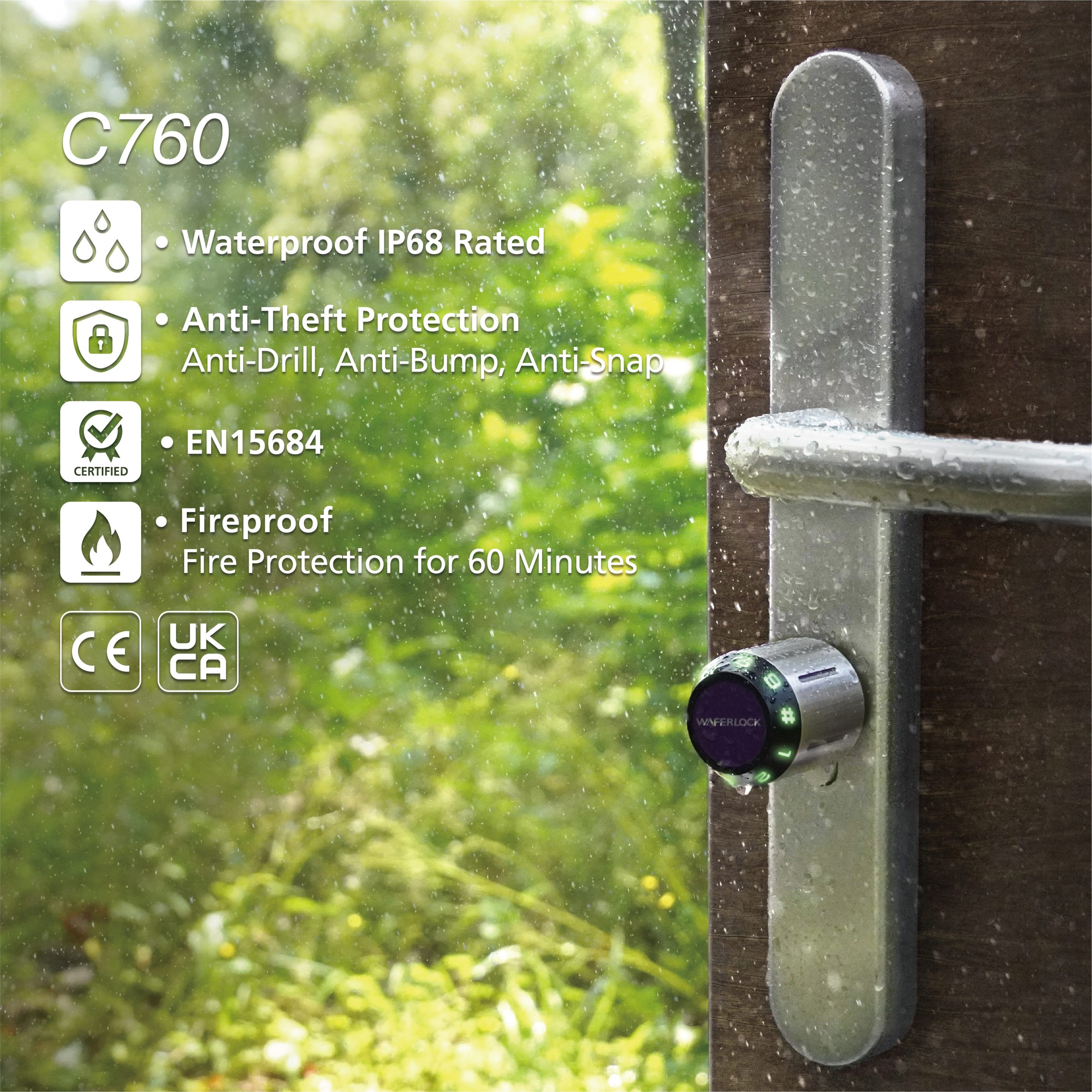
The Waferlock C760 completely replaces the Euro Cylinder lock in doors where the lock, not the handle, turns the hooks and other bits that lock the door. That’s exactly how my composite door works. What attracted me to this lock wasn’t just its IP68 rating but also the promise that even I could install it and on top of that it had some seriously good security anti-theft features, including anti-drill, anti-snap, and anti-bump.
If you’ve ever had to replace a Euro Cylinder type lock, it’s ever so easy to do. You simply undo a screw on the edge of the door, wiggle the lock out, get the replacement lock and wiggle that one in then do up the screw on the edge again. For most people, it’s a five-minute job.
Understandably when I saw the C760 I thought ‘This is going to be easy’, unfortunately, it wasn’t, but that is mainly because I’m a bit of an idiot. However, I tend to believe that instructions should be written for idiots so I do think the installation manual writer presumed too much when they thought the end user might have some intelligence, and as you’re just about to see, I didn’t.
Before I explain where I went wrong, I’m not saying this to put you off, on the contrary, this is a very impressive smart lock, however, hopefully, if I let you know the stupid things I did, you won’t make the same mistakes, not that you would, of course.
So, let’s say you’ve taken your old lock out and have the C760 in front of you. You should take the bulbous end (the outside handle) and slide the lock into the door. Once in the correct position do up the screw/bolt on the edge of the door to hold it in place. Now here comes a slightly difficult bit. There’ll be a handle that slides onto the bit that’s protruding on the inside of the door, this is the bit you’re going to turn once you’ve fitted it correctly. The only thing is you’ll have to line up a hole in the handle to one of the holes in the protrusion and then screw in a tiny weenie grub screw – it’s very small so please take precautions, such as laying a towel in the drop zone, in case you drop it.
What the manual didn’t make clear is the holes in the protrusion are drilled all the way through, which means there are two sets of holes, those you need to line up and screw the tiny grub screw into, and those other ones which are slightly smaller, you know, that you should ignore. You can probably guess which ones I tried screwing it into. Anyway, learn from this idiot, don’t do that, make sure you line up the handle’s hole with the nice big correct ones in the protrusion.
Once that’s done the next step is to remove the cover of the bulbous outer handle so you can insert the battery. The difficulty here is there are two tiny screws that need to be loosened by turning them in the opposite direction to what most people would expect. The only thing is you can’t easily tell if it’s unlocked, and that combined with how much force is required to remove the handle leaves you feeling like you’re going to break the lock. I’m pretty sure it’s supposed to arrive in the unlocked position so it might be worth giving the bulbous handle a bit of a yank before attempting to loosen the screws in the first place.
Still, I did eventually manage to get the cover off, put the battery in, replace the cover and tighten the screws back up. Having done it once I don’t think I’d struggle the next time, and it’d probably only take about 15 minutes to install it. However, be prepared for a bit of a tussle the first time. Is it worth the hassle? Yes, it is.
There’s one more thing to mention that might be an issue, do make sure you understand how to measure the lock you have in terms of choosing which version of the C760 lock you buy. If you’re in any doubt, contact Waferlock, check their online guidelines or ask a helpful locksmith.

Once the lock has been installed you have two main options as to how to use it. The first is to use it in standalone mode. This wouldn’t be my first choice but for those who don’t want to use a mobile phone to set it up, this is an ideal practical solution. The way it works is you get a master-key/programming card with the lock, and by tapping this against the lock you can follow certain steps that will allow you to use a PIN number and/or key cards. The PIN number system is termed ‘a combination’ by Waferlock, because the numbers are input by dialling them in on the handle, a bit like the way you’d open an old-fashioned safe. And as for the key cards, you get a few included with the lock, however, you may also be able to use your bank cards if they are the RFID type.
See the video above to view several entry methods
My preferred way to set it up this lock is to use the Waferlock app. Initially, you’re still going to have to use the Programming Card/Master Key Card to allow the app to take control of the lock, but from then on, the app has full control. When it comes to programming the app you press the name of your lock, and on the next screen select the image of a person’s head at the top. From here you can create individual profiles. As you do so, you can follow on-screen prompts to add key cards, combinations or invite others to install the app and use it as an e-key. You can also set profiles up for multiple people so they can all have their own combinations, cards or app access. This will enable you to check the history page on the app so you (the owner profile) can see a list of who unlocked the lock and when. The app mode also offers a proximity function that is supposed to unlock the C760 as you approach it, however, this is currently in the beta stage. Waferlock have mentioned they’re currently developing a Wi-Fi bridge for this lock, if they do I think many people would appreciate the ability to set up or delete profiles and unlock the door remotely.
We’ve now been using the lock a lot on a daily basis. The combination method is a bit slow (although you can adjust the settings in the app to speed it up) so just gets used as a backup process if we don’t have our phones or key cards with us. Still, it feels more convenient than using keys as we had done in our old less smart life.
As for that all-important IP rating, time will tell if it’s durable against the sea air here, meanwhile, it’s certainly felt like a step up in our daily lives. If you’ve got a door that uses the Euro Cylinder lock to turn the locking mechanism, then the Waferlock C760 is well worth checking out. We love it.
As I wrote this, I came across a few videos that might be of interest if you’re thinking of buying one of these.
C760 Promotion: https://reurl.cc/0Xjmkk
While these ones look at the installation process
C760 Installation: https://reurl.cc/ERnmma
C760 pairing guide: https://youtu.be/kqJ_8O2XPKE
This one may help you get your head around using the App
WAFERKEY App Guide: https://youtu.be/FV9IjMTXDcc
And finally, here’s its current Amazon page
C760 Amazon page: https://amzn.eu/d/gkVhSfX

The Waferlock L701 Smart Lock – A Review
The Waferlock L701 lock is primarily suited to doors that use the handle to engage or retract the hooks and bolts within the locking mechanism, this tends to require the handle to be lifted before the lock is locked and pushed down to open the door once the lock is unlocked. As such it is up against numerous similar models made by Yale, SmartLock, Simpled and Ruveno. Given the competition what does the L701 have to offer that sets it apart?
In short, it’s the lock’s IP rating which is an impressive IP68. For now, the best of its competitors’ ratings only reach IP55. In a cold, windy and rainy climate such as the UK’s that could make all the difference in terms of durability, especially if the lock is on a door that’s exposed to the elements.
The L701 is priced similarly to the Yale, Simpled, and Ruveno incarnations, and almost half the price of the Smartlock/Prolok one. Function wise it lacks fingerprint and manual key override, although it does allow a backup power source to get the lock to function in case the battery runs out. One thing it does offer that I didn’t notice the other locks having was the ability to program the lock without the use of a phone app. This ‘Standalone’ mode is very easy to use and may appeal to those who don’t have, or want to use, a smartphone to manage their lock.
On the subject of the standalone and app modes, the manual I had wasn’t as clear as I thought it should be when it came to pointing out the app’s abilities. So, to be clear, the app can link key cards, set PIN numbers (combinations) for multiple users, invite others to install and use the same app to unlock the door, and although it’s in Beta testing right now, it looks like a proximity mode is being developed where the lock will unlock once you’re within a certain distance from it. If you’ve got the app and want to know how to use these functions press the head and shoulders icon at the top of the app after pressing on your lock’s icon.

The final positive unique selling point for this lock relates to installing the L701. It’s slightly easier to install than some of its competitors because it doesn’t require connecting a cable between the inner and outer lock housings. This normally results in having to drill a hole big enough in the door to contain the excess cable. This is completely avoided with the L701. However, given it may well still involve drilling a hole in your PVC door (and possibly the lock shielding) to allow the top bolt through the door, it’s probably best to get a professional to install it. When we fitted it onto one of my doors, I got a professional in as it required drilling through both the door and lock, but outside of that, it was plain sailing in terms of attaching it to the door.
We’ve only had this lock for several weeks so haven’t been able to test its durability however it has operated well and is still showing 100% battery remaining. As for its functionality, it’s very easy to use and has made life a lot easier when it comes to entering or leaving my place. As with most products, it’s less a case of what is best, but what fits the needs of the customer. So, if you’d prefer a smart lock that doesn’t require using a smartphone to run it, then this is definitely worth considering. Conversely, you might like using the phone app and all that has to offer but your main worry is your lock will be on a door that’s exposed to harsh weather, if so, then this might also be just what you need.
If you have further queries or just want to find out more about the locks discussed here, please contact Waferlock directly via their website at
As I wrote this, I came across a few videos that might be of interest if you’re thinking of buying one of these, the first one is a promotional one.
L701 Promotion: https://reurl.cc/kEZpMb
These look at the installation process.
L701 Installation: https://reurl.cc/V1EgQY
L701 pairing guide: https://youtu.be/PNyNXaFN2SE
These ones may help you get your head around using the App.
WAFERKEY App Guide: https://youtu.be/FV9IjMTXDcc
App manual: https://reurl.cc/60Ld9r
And finally, here’s its Amazon page: https://amzn.eu/d/3lqFTxM